How to Fix Common Shop Floor Problems:

13 Jan, 2026

    Real-Time Production Monitoring for Increased Efficiency and Reduced Cost


    Introduction

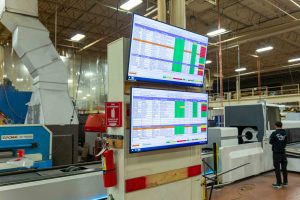
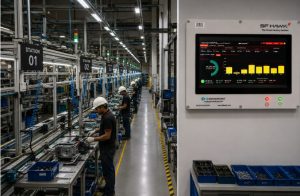
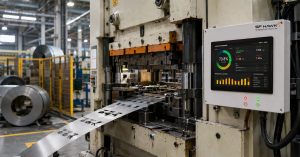
    The shop floor is the heart of any manufacturing operation, and when it’s running at peak efficiency, it’s a goldmine of productivity. But the moment inefficiencies creep in, whether it’s due to downtime, delays, or poor processes, your profits can quickly drain away. The challenge is identifying and fixing those issues before they escalate into bigger problems that impact production, costs, and customer satisfaction. In this blog, we’ll explore some of the most common shop floor problems that can negatively impact productivity and how real-time production monitoring systems like sfHawk can help you identify, address, and prevent these issues.

    What You Will Learn

    • The top problems affecting your shop floor
    • Why downtime, material delays, and process inefficiencies occur
    • How to optimize machine performance and eliminate bottlenecks
    • How real-time production monitoring with sfHawk can improve your shop floor efficiency
    • The financial impact of solving shop floor issues and improving productivity
     

    Common Shop Floor Problems in Manufacturing

    A smooth-running shop floor is where machines, operators, and processes work together seamlessly. However, the reality is that most manufacturing operations face constant challenges in balancing productivity with quality, cost control, and time management. Here are some common shop floor problems and the solutions that real-time monitoring can provide:  

    1. Downtime Is Costly

    Downtime whether planned or unplanned, is one of the most expensive problems manufacturers face. Every minute your machine stops costs time and money, and unplanned downtime has an even larger impact on your bottom line.

    Why it happens:

    • Unreported delays and missed maintenance schedules
    • Machine breakdowns or inefficiencies not detected early
    • Lack of real-time data to identify performance issues as they happen

    How sfHawk helps:

    • Real-time downtime tracking gives you precise, minute-by-minute data on when and why machines stop.
    • You can easily identify unplanned downtime events and immediately address issues, reducing machine idle time and improving overall OEE.
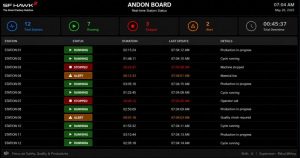
    • Mobile alerts notify you of breakdowns, tool change delays, or production halts, enabling quicker responses.
     

    2. Late Material Deliveries Slow Down Work

    If materials don’t arrive on time, production stops, and your entire workflow stalls. On the shop floor, delays in material availability lead to idle machines, missed deadlines, and increased operational costs.

    Why it happens:

    • Lack of real-time inventory tracking
    • Supply chain disruptions or poor vendor coordination
    • Manual processes leading to miscommunication between production and logistics

    How sfHawk helps:

    • Integration with inventory systems tracks material availability in real-time.
    • Operators can see material levels directly on their machines, allowing them to adjust production schedules and avoid wasted time.
    • Alerts for low stock or incoming deliveries ensure you’re never caught off guard.
     

    3. Slow Machines Cut Output

    Even small technical problems with machines can add up over time, leading to slower production speeds and reduced overall output.

    Why it happens:

    • Small mechanical issues that aren’t noticed until they cause a breakdown
    • Lack of regular performance checks or predictive maintenance
    • Misalignment of machines or tools that affects speed and precision

    How sfHawk helps:

    • Continuous performance monitoring detects small deviations in machine speed and output in real-time.
    • Preventive maintenance reminders ensure that machines are serviced before they slow down or break down.
    • Data-driven insights from machine analytics allow you to spot patterns, optimize performance, and reduce unexpected stoppages.
     

    4. Unreported Delays Hide Problems

    If stoppages or delays aren’t recorded, they continue to happen, unnoticed and unaddressed. Unreported delays hide issues that need to be fixed.

    Why it happens:

    • Manual tracking of downtime and delays that’s inconsistent or incomplete
    • Operators or supervisors might not follow proper logging procedures
    • Lack of accountability for delays

    How sfHawk helps:

    • Automated downtime logging captures every machine stop, along with reasons for the stoppage, and records them instantly.
    • You can review real-time logs of production and identify the root causes of delays.
    • Shift change accountability ensures all delays are tracked and resolved, reducing recurring inefficiencies.
     

    5. Shift Changes Waste Time

    Shift changes are essential but often become time-wasting bottlenecks that eat into valuable production hours. Delays in handover can lead to missed shifts, slow starts, and idle machines.

    Why it happens:

    • Poor coordination or lack of structured handover protocols
    • Operators leaving early or showing up late for shifts
    • No visibility into when machines are actually up and running after a shift change

    How sfHawk helps:

    • Machine downtime tracking logs when shifts change, providing visibility into exactly when machines stop and start.
    • Shift transition data makes it clear when delays happen and why, leading to faster adjustments in the process.
    • Performance reports show whether a team is meeting their shift goals and highlight areas for improvement.
     

    6. Poor Process Flow Creates Bottlenecks

    Bottlenecks occur when one part of the process slows down the entire workflow, causing production delays and inefficiency. These bottlenecks can occur between operations, machines, or workstations.

    Why it happens:

    • Gaps between stages or misalignment of resources
    • Machines waiting for materials or operators
    • Poorly balanced workloads or ineffective scheduling

    How sfHawk helps:

    • Real-time flow monitoring identifies bottlenecks instantly and provides insights into where delays are occurring.
    • Production heatmaps highlight slowdowns and help optimize process flow by redistributing resources.
    • Bottleneck analysis reports pinpoint specific machines or stages that require improvement.
     

    7. Skipping Compliance Causes Trouble

    Missing quality checks, incorrect documentation, and untracked downtime can lead to rework, failed audits, and customer dissatisfaction. Compliance with standards like ISO 9001 and IATF 16949 is essential, but non-compliance can cost you both financially and reputationally.

    Why it happens:

    • Manual data entry and paper logs that are incomplete or inaccurate
    • Lack of digital tools to track compliance and quality metrics in real-time
    • Failure to document downtime or maintenance activities

    How sfHawk helps:

    • Automated compliance tracking logs downtime, maintenance, and quality checks in real-time, creating an auditable trail for ISO and IATF compliance.
    • Digital tracking ensures that every process step, inspection, and machine activity is documented accurately, preventing missed checks and reducing rework.
    • Instant reports provide supervisors and quality control teams with up-to-date data for inspections, making audits a breeze.
     

    Conclusion

    Your shop floor holds immense potential for productivity and profit, but only if you can identify and fix the problems that are draining your resources. Whether it’s downtime, material delays, slow machines, or poor processes, the costs of inefficiencies add up fast. Real-time production monitoring systems like sfHawk empower you to track every minute of machine time, identify bottlenecks, and eliminate inefficiencies. By taking a proactive approach, you can streamline your shop-floor operations, meet delivery deadlines, reduce costs, and improve overall productivity.

    Learn More About Real-Time Production Monitoring with sfHawk

    🌐 www.sfhawk.com 📧inquiry@sfhawk.com 📞91120 98351

    How Inaccurate Part Quantity Count Is Affecting Your Shop Floor:

    5 Jan, 2026

      Introduction

      In manufacturing, decisions are only as good as the data behind them. Every day, production planning, dispatch commitments, procurement orders, and customer promises are made based on part quantity numbers shown in production systems, ERP, or manual logs. These numbers are assumed to be correct, rarely questioned, rarely verified. When problems arise, attention usually shifts to machines, manpower, or scheduling. A machine breakdown is blamed. An operator shortage is cited. Targets are revised. What often goes unnoticed is a far more fundamental issue: the part quantity numbers themselves may be wrong. When the sfHawk team visits manufacturing plants facing missed deliveries, declining OEE, inflated inventory, or planning chaos, we consistently observe the same pattern: inaccurate part quantity count on the shop floor is silently undermining performance. This blog explores what inaccurate part quantity count really means, why it happens so frequently in manufacturing environments, what it is costing organizations, and how real-time production monitoring restores accuracy, control, and confidence.  

      What You Will Learn

      • What is an inaccurate part quantity count
      • Why part counts go wrong in manufacturing environments
      • Common causes of inaccurate production and inventory data
      • What inaccurate part counts are costing your shop floor
      • How inaccurate counts affect OEE, planning, inventory, and customers
      • How real-time production monitoring systems fix part quantity inaccuracies

      What Is an Inaccurate Part Quantity Count?

      An inaccurate part quantity count occurs when there is a mismatch between:
      • The actual physical number of parts produced, consumed, or stored, and
      • The quantity recorded in shop-floor logs, ERP systems, or production reports
      This discrepancy can arise at any point in the manufacturing lifecycle:
      • During production reporting
      • While logging scrap, rejection, or rework
      • During shift handover
      • When WIP is transferred between processes
      • During finished goods storage or dispatch
      Even small differences, a few parts per shift , can compound into significant errors over days and weeks, eventually distorting planning, inventory, and customer commitments.  

      When We Walked Into the Plant

      The factory was a Tier-2 automotive supplier running multiple CNC machines with frequent part changes. The production dashboard showed healthy numbers: “Today’s production: 1,200 parts.” However, a physical count on the shop floor told another story. Only 1,040 parts were actually available. No one could clearly explain where the remaining parts went. Scrap bins were not reconciled. Rework parts were mixed with good ones. Some quantities were estimated rather than measured. This was not an isolated incident, it was a daily reality that had become normalized.  

      Why Do Part Counts Go Wrong?

      Inaccurate part quantity count is rarely caused by one dramatic failure. It usually results from multiple small gaps across people, process, and systems, all interacting over time.

      Manual Entry Errors

      Manual data entry remains one of the biggest contributors to inaccurate part counts.
      • Operators often enter production quantities at the end of a shift, relying on memory
      • Fatigue, multitasking, and pressure to finish quickly increase error probability
      • A single incorrect entry (for example, 800 instead of 300) can distort downstream planning
      When these errors repeat across machines and shifts, system data slowly drifts away from physical reality.

      Lack of Training and Standard Operating Procedures

      In many plants:
      • Operators are unclear about when to log production vs scrap
      • Reworked parts are inconsistently counted
      • Partial batches are either skipped or double-counted
      Without clear, enforced procedures, each operator develops a personal method of reporting, creating variability and inconsistency in part quantity data.

      Poor Scrap and Inventory Practices

      Common shop-floor issues include:
      • Scrap bins not reconciled against reported scrap
      • Rejected parts mixed with good parts
      • WIP transferred without updating records
      • Finished goods moved without system confirmation
      Physically, parts move efficiently. Digitally, records lag behind, creating inventory inaccuracies.

      No Real-Time Production Tracking

      When production data is captured hours later:
      • Errors go unnoticed until it’s too late
      • Supervisors cannot intervene during the shift
      • Root causes are difficult to trace
      By the time reports are reviewed, the opportunity for correction has already passed.

      System Gaps and Synchronization Issues

      Disconnected systems create additional inaccuracies:
      • Delays between machines, shop-floor logs, and ERP/MES
      • Missing updates during shift change or system downtime
      • No reconciliation between “produced,” “scrapped,” and “stored” quantities
      Over time, these gaps build false confidence in incorrect numbers.  

      What Inaccurate Part Counts Are Costing You

      Inaccurate part quantity count is not just a reporting problem, it has direct financial, operational, and customer-facing consequences.

      Missed Production Targets and Lower OEE

      When planners rely on incorrect quantities:
      • Machines wait for parts that don’t physically exist
      • Changeovers are delayed
      • Operators remain idle
      OEE drops due to waiting and availability losses, not machine inefficiency.

      Customer Dissatisfaction and Delivery Failures

      Incorrect part counts lead to:
      • Over-promising delivery dates
      • Partial or delayed shipments
      • Frequent rescheduling
      Customers experience missed commitments, not internal data issues, and trust erodes quickly.

      Increased Manufacturing Costs

      Inaccurate counts often trigger:
      • Emergency production runs
      • Expedited raw material purchases
      • Overtime labor
      • Additional setups and rework
      • Unplanned downtime
      These corrective actions directly inflate operational costs and reduce margins.

      Planning and Forecasting Errors

      When inventory data is unreliable:
      • Procurement orders material unnecessarily
      • Production plans are based on false availability
      • Excess inventory coexists with shortages
      Planning becomes reactive instead of predictive.

      Quality and Compliance Risks

      In regulated industries:
      • Incorrect traceability due to untracked scrap and rework
      • Wrong parts entering dispatch
      • Weak audit trails
      This increases the risk of customer complaints, recalls, and compliance violations.  

      A Real Shop-Floor Turning Point

      One automotive unit we worked with had scaled rapidly from a small setup to nearly twenty machines. As complexity increased, delivery performance declined. Manual logs showed acceptable numbers, yet customers complained. After deploying sfHawk:
      • Actual part count per machine and per shift became visible
      • Scrap and rework were logged in real time
      • Discrepancies between system and physical counts surfaced immediately
      Within weeks, planning accuracy improved. Within months, delivery reliability returned. The machines hadn’t changed. The visibility and accuracy of data had.  

      How sfHawk Fixes Inaccurate Part Quantity Count

      sfHawk captures production data directly from machines, reducing dependence on manual reporting. It enables:
      • Automatic, real-time part count tracking
      • Immediate scrap and rework logging
      • Shift-wise, machine-wise, and part-wise visibility
      • Continuous reconciliation between actual output and system records
      • Alerts when production deviates from plan
      Every data point is time-stamped and traceable, enabling accountability and continuous improvement.  

      Why Manual Part Counting Will Always Struggle

      Manual and paper-based systems:
      • Depend on memory and estimation
      • Miss micro-level discrepancies
      • Detect errors only after escalation
      • Delay corrective action
      Real-time production monitoring provides accurate, live manufacturing data, enabling teams to act before issues snowball.  

      Final Thoughts

      Inaccurate part quantity count is not just a data mismatch. It represents a loss of control over production reality. Most factories already produce enough parts. What they lack is accurate, real-time visibility into what is actually happening on the shop floor. When part quantity data becomes reliable, planning stabilizes, costs reduce, OEE improves, and customer confidence returns, quietly and sustainably.  

      Learn More About Real-Time Production Visibility

      🌐www.sfhawk.com 📧 inquiry@sfhawk.com  📞 91120 98351  

      Causes of Downtime in Manufacturing:

      29 Dec, 2025

        A Real Factory Story on OEE, Unplanned Downtime, and Lost Capacity

        Introduction

        In most manufacturing plants, downtime is rarely challenged. When output falls short, the explanations come quickly. A machine broke down. An operator was absent. A setup took longer than expected. Targets are adjusted, schedules are revised, and production moves on.


        Over time, low Overall Equipment Effectiveness (OEE) becomes accepted as a fact of life, particularly in High Mix Low Volume (HMLV) manufacturing, where operating at 40–50% OEE is often considered inevitable.


        Yet when the sfHawk team walks onto shop floors and looks beyond assumptions , into actual machine behavior, shift patterns, and production flow, a consistent pattern emerges. Downtime is rarely just a machine problem. More often, it is a visibility problem.

        Large losses are not always dramatic. They occur in small, repeated intervals: a late shift start, a delayed tool change, a prolonged inspection, a breakdown reported too late. Individually, these moments seem insignificant. Collectively, they erode a substantial portion of available capacity, quietly and consistently.


        This real factory story examines the true causes of downtime in manufacturing, the hidden cost of unplanned downtime, and why many plants are operating far below their true productive potential, without realizing it.


        What You Will Learn


        When We Walked Into the Plant

        The plant had more than 20 CNC and VMC machines running discrete manufacturing operations with frequent changeovers.

        The shop floor looked active. Machines were running. Operators were engaged.

        The plant head told us:

        “Our OEE is around 40%. That’s expected in HMLV manufacturing.”

        On paper, that sounded reasonable. On the shop floor, the numbers told a different story.


        Causes of Downtime in Manufacturing:

        What We Observed First

        Within the first few hours, several patterns became clear:

        • Machines starting production 10–15 minutes late
        • Operators stopping early before shift end
        • Waiting for tool or process confirmation
        • Searching for shared gauges and fixtures

        None of these were recorded as downtime.

        These repeated every shift, quietly adding up to hours of lost production time per day.

        What Is the Cause of Machine Downtime?

        Machine downtime is often assumed to be mechanical.

        In reality, downtime arises from a combination of people, process, and system issues.

        Process-Related Downtime

        • Setup and changeover time
        • First-part inspection delays
        • Tool adjustment and replacement

        These are necessary but reducible.

        Machine Breakdowns

        • Avoidable failures
        • Weak preventive maintenance
        • Delayed reporting and response

        Without accurate data, these causes remain invisible.


        Manufacturing Downtime Reasons – Low and High Hanging Fruit

        Low Hanging Fruit Downtime (≈30%)

        Low hanging fruit downtime is caused by work discipline and shop-floor practices, including:

        • Late shift starts
        • Extended tea and lunch breaks
        • Early shift endings
        • Delay in reporting machine issues
        • Searching for tools and fixtures

        In an 8-hour shift, these losses can easily consume 45–60 minutes, or 12% of available time.

        They are easy to fix , once measured.

        High Hanging Fruit Downtime (≈70%)

        High hanging fruit downtime is caused by system and process inefficiencies, such as:

        • High setup and changeover time
        • Long inspection queues
        • Machine breakdowns
        • No raw material from upstream processes
        • Power shutdowns

        These directly reduce machine availability and require structured, data-driven action.


        Unplanned Downtime in Manufacturing

        Unplanned downtime is expensive because it is unpredictable.

        In multi-process manufacturing:

        • Each process feeds the next
        • Downtime in one machine starves downstream operations

        To compensate, manufacturers build finished goods inventory.

        Inventory is directly proportional to unpredictability , and unpredictability is driven by unplanned downtime.


        Unplanned Downtime Examples from the Shop Floor

        Common unplanned downtime examples include:

        • Machine breakdowns
        • Tool breakage
        • No raw material availability
        • Power failures
        • Abnormally long setup changes
        • Operators starting late or stopping early

        Most of these are underestimated or missed in manual records.


        Average Cost of Downtime in Manufacturing

        The average cost of downtime in manufacturing can be calculated using the machine hour rate.

        Cost of downtime = Machine hour rate × Downtime duration

        Example:

        • Machine hour rate: ₹500
        • Downtime: 6 hours/day

        Daily downtime cost = ₹3,000 per machine

        Scaled across machines and months, downtime becomes a major profitability drain.


        Cost of Unplanned Downtime in Manufacturing

        Unplanned downtime reduces predictability.

        Lower predictability leads to:

        • Higher finished goods inventory
        • Increased working capital
        • Higher interest costs

        Finished goods inventory is particularly expensive because it includes raw material, processing cost, and margin, all locked in stock.


        Planned Downtime in Manufacturing

        Planned downtime is scheduled and controlled.

        Examples include:

        • Autonomous maintenance at shift start
        • Preventive maintenance on weekly offs
        • Maintenance during non-working shifts
        • Annual shutdowns

        The objective is always to replace unplanned downtime with planned downtime.


        How a Machine Monitoring System Reduces Unplanned Downtime

        When sfHawk was connected to the machines, downtime data became objective and real-time.

        sfHawk enabled:

        • Accurate downtime tracking
        • Planned vs unplanned downtime classification
        • Automated OEE calculation
        • Root-cause analysis
        • Real-time alerts for breakdowns and deviations

        This allowed teams to address low hanging fruit immediately and high hanging fruit systematically.


        30-Day Improvement Snapshot

        Metric

        Before sfHawk

        After 30 Days

        Availability

        62%

        78%

        Performance

        92%

        96%

        Quality

        95%

        96%

        OEE

        40%

        57%

        This improvement came without additional CapEx, only better visibility and better decisions.

        Why Manual Downtime Tracking Fails

        Manual downtime tracking systems:

        • Miss micro-stoppages
        • Underreport unplanned downtime
        • Depend on human judgment
        • Delay corrective action

        Automated machine monitoring provides accurate, real-time manufacturing data, which is essential for continuous improvement and sustained OEE improvement.

        Final Thoughts

        Downtime in manufacturing is often treated as an unavoidable reality , something to be managed around rather than eliminated. In practice, however, downtime itself is not inevitable. What is inevitable is the loss of capacity that goes unmeasured.

        When machines stop for a few minutes at a time, when shifts start late, when setups stretch longer than planned, or when breakdowns are responded to slowly, the lost time quietly disappears from records. Over weeks and months, these small, unmeasured losses accumulate into a significant portion of available capacity,  typically 20–25% in most factories.

        This capacity already exists. It is paid for through capital expenditure, manpower, energy, and overheads. Yet it remains locked inside blind spots created by manual tracking, assumptions, and accepted shop-floor habits.

        Once downtime is measured accurately and in real time, it stops being “normal.” Patterns become visible, causes become clear, and improvement becomes deliberate rather than reactive. Decisions shift from firefighting to prevention, and gains become repeatable.

        In manufacturing, visibility is the foundation of control. When downtime becomes visible, improvement becomes systematic, sustainable, and predictable.

        Learn More About Manufacturing Downtime and OEE

        🌐 www.sfhawk.com 📧 inquiry@sfhawk.com 📞 91120 98351

        Why Do You Need Shop Floor Software for Your Factory

        22 Dec, 2025

          Many factories assume their shop floor is running efficiently until real numbers tell a different story. Hidden downtime, delayed visibility and inaccurate reporting silently reduce output and profitability every day. sfHawk shop floor machine management software gives Indian manufacturers complete real time control over production. With automated data capture, instant alerts and actionable analytics, sfHawk replaces guesswork with clarity.


          Aspect Before sfHawk After sfHawk
          Downtime tracking Manual logs and delayed reporting Automated real time downtime tracking
          Production visibility End of shift paper reports Live machine wise and shift wise visibility
          Cycle time monitoring Estimated values Accurate real time cycle tracking
          Quality control Post shift inspection Instant rejection visibility
          OEE tracking Manual calculation Continuous OEE monitoring
          Data management Spreadsheets and registers Centralised digital records
          Communication Verbal and paper based Automated alerts
          ERP integration Manual data entry Machine monitoring ERP integration
          Decision making Reactive Data driven
          Installation Lengthy and disruptive Plug and play IIoT setup

          Why Do Factories Need Shop Floor Software?

          The shop floor is where CNC machines, VMCs, HMCs, operators and tooling systems work together to convert raw material into finished components. Managing schedules, machine health, quality and costs simultaneously is complex. sfHawk CNC Machine Monitoring Software acts as a real time production monitoring system that captures machine data automatically using industrial IoT. There is no dependence on manual entries, ensuring accuracy and reliability. Designed for Indian factories, sfHawk enables quick deployment without heavy IT involvement, making it ideal for small, mid size and large manufacturing units.

          Common Shop Floor Challenges

          1. Operator dependent reporting
          2. Long cycle and setup times
          3. High rejection rates
          4. Shift handover delays
          5. Incorrect production reporting
          6. Unplanned downtime
          7. Lack of traceability

          Benefits of Using Shop Floor Machine Management Software

          Cost Reduction- Reduced downtime, scrap and inefficiencies lead to lower operating costs. Real Time Production Visibility- sfHawk provides live visibility into CNC, VMC and HMC machine performance across shifts and jobs. Reduced Downtime- Recurring stoppages are identified early, enabling preventive maintenance monitoring systems. Better Resource Utilisation- Machines and manpower are optimally utilised to maximise output. Improved Production Planning- Production schedules adapt dynamically based on real time data. Improved Product Quality- SPC charts for CNC machines and rejection tracking help maintain consistency. Data Driven Decision Making- Insights support continuous improvement initiatives. Traceability- Component traceability systems record every production stage.

          Downtime Tracking and Analysis

          Downtime often goes unnoticed until it affects deliveries. sfHawk records every stoppage automatically. sfHawk Insight- Even short stoppages such as tool changes or material delays are captured and analysed. Manufacturers gain-
          1. Clear visibility into loss reasons
          2. Real time alerts for abnormal stoppages
          3. OEE monitoring software linking downtime to revenue loss
          A VMC shop using sfHawk discovered operators were losing time searching for tools. A simple tooling change reduced downtime and saved thousands per machine every month.

          Cycle Time Analysis

          Cycle time variations reduce throughput over time. sfHawk Insight- Actual cycle times are tracked for every part without operator input. Benefits include-
          1. Actual vs standard cycle time comparison
          2. Instant alerts for deviations
          3. Shift and operator wise analysis
          4. Direct linkage with OEE tracking software

          Inspection Rejection Analysis

          Every rejected component adds cost. sfHawk Insight- Rejection data is logged in real time with defect reasons. Manufacturers can-
          1. Identify recurring defect patterns
          2. Correlate defects with machine condition
          3. Reduce scrap and rework

          OEE Analysis

          OEE monitoring system provides a complete picture of machine effectiveness. sfHawk Insight- Availability, performance and quality losses are tracked automatically. Key advantages-
          1. Live OEE tracking
          2. Loss breakdown analysis
          3. Trend monitoring
          4. Remote machine monitoring for leadership

          Paperless Shop Floor

          Manual paperwork delays decisions. sfHawk Insight- All production data is digitally recorded and instantly accessible. Features include-
          1. Digital job cards
          2. Automatic production logging
          3. Digital shift reports
          4. Centralised data storage

          CEO Dashboard

          Leadership visibility should not depend on end of month reports. sfHawk Insight- Management can view production health, losses and trends in real time from anywhere.

          Machine Interlock Feature

          Machine interlock ensures safety and quality discipline. sfHawk Insight- Machines run only when predefined conditions are met. This prevents-
          1. Unauthorised operation
          2. Skipped inspections
          3. Quality bypasses

          Operator Performance Report

          Performance based incentives require accurate data. sfHawk Insight- Operator output and efficiency are tracked automatically. Benefits include-
          1. Transparent performance evaluation
          2. Reduced disputes
          3. Improved productivity

          Conclusion

          sfHawk transforms Indian shop floors from delayed reporting to real time intelligence. By combining CNC machine monitoring software, OEE monitoring, predictive maintenance and digital traceability, sfHawk enables manufacturers to increase productivity, reduce losses and build smart factories. Reach us at- www.sfhawk.com inquiry@sfhawk.com Call: +91120 98351  

          Energy Monitoring : The Key to Unlocking Hidden Savings

          8 Dec, 2025

            Picture this:

            Machines running, operators busy, production on track. Everything feels efficient, until the electricity bill arrives and it’s far higher than expected. This exact scenario is what pushed one of our customers to explore real-time energy monitoring. And what they uncovered completely changed how they looked at energy consumption, machine efficiency, and daily operations.

            What We Found Inside the Factory

            This plant had been operating for years. They manually checked meters, wrote down readings, and assumed everything was under control. But once we installed the sfHawk Energy Monitoring Add-On, the truth surfaced:
            • Machines on “standby” were consuming up to 40% of rated power
            • Cooling systems were running even when machines were idle
            • Energy spikes during machine startup were adding hidden costs
            • Heavy machines were drawing high load during off-peak hours
            • Power factor was dropping without anyone noticing
            This was the energy wastage hiding in plain sight.  

            Introducing sfHawk Energy Monitoring Add-On

            A powerful extension to your existing sfHawk machine monitoring with zero extra panels, zero hardware clutter, and instant value. Why It’s a Game-Changer Fully integrates with existing sfHawk units Tracks kWh consumption, peak load, power factor, and energy spikes Machine-level real-time tracking Idle load detection (huge cost saver) Instant alerts for unusual power draw Automated shift-wise, machine-wise energy reports Helps align with ISO 50001 energy management standards Enables predictive maintenance through energy signatures This is not just energy monitoring, it’s profit protection.  

            Comparison: Manual Logs vs sfHawk Real-Time Energy Monitoring

            Feature Manual Logs sfHawk Real Time Monitoring
            Accuracy Low once per shift reading High real time machine level
            Idle Load Visibility None Instant detection plus alerts
            Energy Wastage Insights Delayed post bill analysis Immediate auto analysis
            kWh Consumption Tracking Approximate Exact per second
            Peak Load Monitoring Not possible Real time peak load capture
            Power Factor Monitoring Manual Automated and graphed
            Downtime Energy Not captured Fully tracked with cause
            ROI Tracking No Built in reports
            Load Balancing Insights Guesswork Precise recommendations
            Energy Spikes Invisible Detected in real time
             

            Real Data From the Factory Floor

            Within just 48 hours of installation, the plant saw:
            • Idle load of one CNC machine: 1.8 kWh per hour
            • Energy spikes up to 300% during shift startup
            • Cooling system consuming 6–8 kWh daily during breaks
            • 30% load imbalance across machines
            • Low power factor during night shifts (costing penalties)
            These were invisible without real-time tracking.

            Cost Saving Metrics from sfHawk Energy Add-On

            Energy Insights Delivered
            • 15% reduction in idle-time consumption
            • 10% saving via load optimization & balancing
            • 20% total energy cost reduction across machines
            • Payback Period: Under 3 Months
             

            What does 20% savings mean in INR?

            Let’s say the plant’s monthly electricity bill is ₹4,50,000. A 20% reduction = savings of ₹90,000 per month Which means: ₹10.8 lakh saved yearly System ROI achieved in under 12 weeks Even small improvements had massive financial impact.

            How the Factory Turned Data into Savings

            With visibility into real-time kWh consumption and operational efficiency metrics, the plant made simple but powerful changes:

            Reduced Idle Load

            Machines were auto-powered down during breaksSaved ₹30,000 per month

            Peak Load Management

            Staggered machine start-up to avoid energy spikes→ Lower maximum demand Saved ₹18,000 per month

            Load Balancing

            Moved medium-load jobs to under-utilized machines Improved power factor avoided penalties → ₹12,000 saved per month

            Cooling System Optimization

            Activated cooling only when necessary → Saved 5–7 kWh per day→ ₹8,000 per month These aren’t guesses, these are real machine-level insights from sfHawk.  

            Why Real-Time Energy Monitoring Always Wins

            Without real-time tracking: 1. Idle energy is invisible 2. Peak load goes unchecked 3. Power factor penalties continue 4. Energy spikes remain hidden 5. Downtime energy is never calculated 6. ROI is impossible to measure

            But with sfHawk:

            1. Every watt is tracked 2. Every spike is highlighted 3. Every inefficiency becomes actionable 4. Every machine’s true cost becomes visible This is why factories using sfHawk see consistent 15–25% energy savings.  

            Ready to Start Saving? Let’s Talk.

            If you want:
            • Lower energy bills
            • Higher operational efficiency
            • Faster ROI
            • Better load balancing
            • Clear insights your team can act on instantly
             

            Then it’s time to switch to sfHawk Energy Monitoring Add-On.

            📞 Call: 91120 98351 📩 Email: inquiry@sfhawk.com 🌐 www.sfhawk.com Let’s help your factory discover the savings it’s been missing — in real time.

            OEE Formula Explained

            11 Nov, 2025

              A Real Factory Story on Calculating OEE the Right Way (and Why Paper Logs Mislead You)

              Introduction

              OEE Formula Explained — How sfHawk Helped a Tier-2 Auto Supplier Find Its True Efficiency Discover how a Tier-2 auto-component supplier uncovered its real OEE (63%) after years of believing it was 88%. Learn the correct OEE formula, real-world calculations, and why automated OEE monitoring like sfHawk delivers honest performance insights. 
               

              What you will learn:


              When We Walked Into the Plant 

              When our team at sfHawk visited a Tier-2 supplier for a major Indian auto OEM, the floor looked picture-perfect. Machines ran steadily, operators filled logbooks with care, and a whiteboard proudly displayed: Yesterday’s OEE — 88.4 % The production head smiled, “We’ve been holding 85-plus for months.” But years of field visits had taught us one thing: paper OEE numbers often hide more than they reveal. 

              The Paper-Based Illusion 

              The company manufactured precision shafts — tight-tolerance components for steering assemblies. Operators noted start and stop times in logbooks, and supervisors compiled OEE at shift end. When we asked, “Do you track short stops too?” one operator chuckled, “No, sir. Only when the machine is down for more than 10 minutes.” That simple sentence explained everything. Those few-minute pauses for tool change, material fetch, or inspection may seem trivial — but across shifts, they steal hours. 

              The OEE Formula Refresher 

              Before challenging their numbers, we revisited the basics with their engineers:
              OEE = Availability × Performance × Quality 
              • Availability = Running Time / Planned Production Time 
              • Performance = (Total Parts × Ideal Cycle Time) / Running Time or No.of parts produced/ No.of parts which could be produced 
              • Quality = Good Parts / Total Parts 
              Simple math — but only if the data beneath it is honest. 

              What the Paper Showed 

              For one CNC turning center (24 hours, 3 shifts):  
              Parameter Value
              Planned Production Time 1440 min (3 × 8 h)
              Breaks 90 min
              Planned Time after Breaks 1350 min
              Reported Downtime 150 min
              Reported Running Time 1200 min
              Standard Cycle Time 2.5 min/part
              Parts Produced 480
              Rejections 8

              Availability = 1200 / 1350 = 88.9 % Performance = (480 × 2.5) / 1 200 = 100 % Quality = (472 / 480) = 98.3 % OEE = 0.889 × 1.00 × 0.983 = 0.873 ≈ 87.3 % Eighty-seven percent — almost world-class, on paper. 

              What the System Found 

              We connected sfHawk’s real-time OEE monitoring system to the same machine for a week. By day two, the story changed.
              Parameter value
              Planned Production Time 1350 min
              Actual Running Time 930 min
              Hidden Micro-Stops (< 5 min each) 120 min
              Long Downtimes 300 min (tool changes, material wait)
              Standard Cycle Time 2.5 min/part
              Parts Produced 360
              Rejections 15
              Now recalculate: Availability = 930 / 1 350 = 68.9 % Performance = (360 × 2.5) / 930 = 96.8 % Quality = (345 / 360) = 95.8 % OEE = 0.689 × 0.968 × 0.958 = 0.639 ≈ 63.9 % The “88 % machine” was actually running at 63.9 % OEE ,nearly one-third of capacity lost every day.  

              Comparison between Paper OEE and Real OEE


              The Unseen Losses, Now Visible

              With automated tracking, the plant saw what had always slipped through:
              • Micro-stops: Frequent 2–3 min gaps during tool and gauge checks. 
              • Setup delays: Slow start-ups at shift changes. 
              • Inspection queues: Machines waiting while parts sat for approval. 
              • Material waits: 15–20 min intervals during part changeovers. 
              The production head looked at the dashboard, stunned: “No one ever wrote these down; they didn’t even feel like downtime.” That was week one, the wake-up call. 

              Turning Data Into Action 

              Once the team had transparent data, they went after low-hanging fruit:
              • Tooling Setup Standardization : reduced average setup time by 18 %. 
              • Pre-shift Material Staging : no more waiting for raw bars. 
              • Parallel Inspection Flow : operators could load next job while QC checked previous one. 
              Within four weeks, the same machine’s metrics looked like this:
              Parameter Week 1 (Before) Week 4 (After)
              Availability 68.9 % 80.2 %
              Performance 96.8 % 97.5 %
              Quality 95.8 % 96.5 %
              OEE 63.9 % 75.3 %
               

              From Logs to Live Dashboards 

              Now, instead of notebooks, every machine streamed live data into sfHawk’s OEE dashboard. Color-coded tiles showed Availability, Performance, and Quality in real time. Supervisors could pinpoint issues instantly —no waiting for reports, no guesswork. Downtime reasons auto-tagged as:
              • Tool Change 
              • Material Wait 
              • Quality Hold 
              • Power Fluctuation 
              For the first time, the team wasn’tcollecting data — they were acting on it. 

              The 30-Day Turnaround 

              After a month, the factory’s average OEE jumped from 63.9 % to 75.3 %. That’s the equivalent of adding almost one extra productive shift per week — without buying a new machine.
              • Micro-stoppages ↓ by 35 % 
              • Setup time ↓ by 20 % 
              • Output ↑ by 12 % 
              The plant head summed it up perfectly: “For years we believed we were at 85 %. sfHawk showed us the truth — and the truth helped us improve.” 

              Why System-Based OEE Always Wins 

              Manual OEE tracking is like checking your car’s mileage once a month — you miss the real-time story. Automated OEE monitoring, on the other hand:
              • Captures every second of machine activity. 
              • Standardizes definitions of downtime and cycle time. 
              • Delivers live dashboards for instant decisions. 
              • Removes human bias and guesswork. 
              When you measure accurately, improvement becomes inevitable. 

              Final Thoughts 

              OEE isn’t just a KPI — it’s your factory’s heartbeat. But to hear it clearly, you need clean, real-time data.  A system-based OEE calculation is always more reliable than a paper-and-pen approach. It eliminates human error, updates data in real time, and helps you make informed decisions instantly.  If you’d like to see how automated OEE tracking can reveal your factory’s true potential, reach us at www.sfhawk.com inquiry@sfhawk.com Call: +91120 98351  

              How to Calculate Cycle Time in Manufacturing

              3 Nov, 2025

                Introduction

                Have you ever had the impression that despite your machines’ best efforts, they are not running as efficiently as they could? Here’s where knowing cycle time is useful. This blog post will explain how to calculate cycle time step-by-step, give examples from real-world situations, and describe how sfHawk Solutions can help you find inefficiencies and boost overall production performance.

                Overview

                Cycle time is similar to your factory’s speedometer; the more precisely you read it, the more efficiently your production process will run.

                There are two main ways to figure out cycle time:

                High-Speed Production: When the start and end times of a cycle are unclear, use the total time divided by the number of parts or parts per minute.

                Longer Cycle Time: For slower and more accurate processes, such as CNC machining, measure the start and end times of the cycle directly.

                It’s critical to distinguish between productive and non-productive time; process, inspection, setup, idle, and queue time must all be taken into account to obtain a realistic view of your efficiency. sfHawk Solutions does the heavy lifting, serving as a cycle time calculator that automatically tracks trends, bottlenecks, and downtime. You can find small changes that lead to significant gains in productivity and profitability by understanding how to calculate cycle time. With sfHawk Solutions, even minor adjustments, like reducing idle time or tool change times, can have a significant impact. Over hundreds of cycles and machines, these small improvements add up to a significant increase in output.  

                What you will learn:

                How to calculate cycle time?

                Understanding cycle time is key to optimizing your manufacturing process. It helps you measure how long it takes to produce one unit of your product, and by tracking it, you can identify areas where you can improve efficiency and increase output. There are two common methods to calculate cycle time, depending on the production process. Let’s break it down in simpler terms with different examples to make it easier to understand.

                Method 1 High-Speed Production (When You Don’t Track Each Cycle)

                When to Use:

                This method is perfect for fast-paced production environments, like packaging or assembly lines, where the cycle start and end times aren’t easy to track. If you know the production rate, you can calculate the cycle time without tracking every cycle. Formula:
                • Cycle Time per part = Total Time Taken / Number of Parts Produced
                 
                • Alternatively, if you know the parts per minute (ppm), use: Cycle Time (in seconds) = 60 / Parts per Minute (ppm)

                Example: Imagine you’re running a machine that produces 150 parts per minute.

                To calculate the cycle time:
                • Cycle Time = 60 / 150 = 0.4 seconds per part
                This means that every 0.4 seconds, your machine produces one part.

                Why This Works:

                This method works well for high-speed machines like conveyors or molding machines where it’s impractical to measure the start and end time for each part. Instead, by knowing the rate of production (e.g., 150 parts per minute), you can calculate how much time it takes to produce each part without tracking every individual cycle.

                Method 2Longer Cycle Time (When You Can Measure Start and End Times)

                When to Use:

                This method is best for slower production processes like CNC machining or assembling complex parts, where each cycle is more deliberate and measurable. You can track the exact time a cycle starts and ends, making it easier to calculate cycle time accurately. Formula:
                • Cycle Time = Cycle End Time – Cycle Start Time
                Example: Let’s say you’re using a CNC machine to machine a part. The cycle start time is 08:10:30, and the cycle end time is 08:20:00. To calculate the cycle time:
                • Cycle Time = 08:20:00 – 08:10:30 = 9 minutes 30 seconds
                This means it took 9 minutes and 30 seconds to complete one cycle of machining.

                Why This Works:

                This method is great for processes that take more time and involve multiple steps (like machining, assembly, or molding). By tracking the start and end times of each cycle, you get a precise measurement of how long it takes to complete one unit.  

                Real-World Examples of Cycle Time Calculation

                Example 1: High-Speed Production (Parts Per Minute) In a factory that produces plastic bottle caps, the production line is running 6 injection molding machines. On one shift, the supervisor observes that Machine 4 produced 18,000 caps in 60 minutes. To calculate the cycle time for Machine 4:
                • Cycle Time = 60 × 60 seconds / 18,000
                • Cycle Time = 12 seconds per cap
                This means every 12 seconds, Machine 4 produces one cap. The supervisor can use this information to benchmark the machine’s performance and ensure it’s running at full capacity.

                Why This Helps:

                By knowing the cycle time (12 seconds per part), the supervisor can spot if the machine is running slower than expected. For instance, if Machine 4 starts producing caps every 15 seconds, they’ll know there’s a problem and can act quickly to fix it. Example 2: Longer Cycle Time (Start-End Measurement) In a CNC workshop, a machine is being used to make steel shafts for automobile gearboxes. The operator measures one full cycle of machining:
                • Start Time: 09:00:00
                • End Time: 09:20:00
                To calculate the cycle time:
                • Cycle Time = 09:20:00 – 09:00:00 = 20 minutes
                This means it takes 20 minutes to machine one shaft.

                Why This Helps:

                Knowing this cycle time allows the operator to plan the shift more efficiently. For instance, during an 8-hour shift, they’ll know that the machine can produce approximately 24 shafts (if there’s no downtime). If another machine can produce a shaft in 18 minutes, it might indicate that Machine 2 is running more efficiently, and Machine 1 needs adjustments.

                Tracking Cycle Time: Why It’s Important

                Calculating cycle time helps you measure the performance of your machines and identify areas of improvement. Whether you’re using the high-speed production method (based on parts per minute) or the longer cycle time method (by tracking start and end times), knowing your cycle time allows you to:
                • Identify inefficiencies: Are your machines slowing down? Are there bottlenecks in your production?
                • Set benchmarks: By knowing how long it should take to produce a part, you can compare the performance of different machines or operators.
                • Optimize productivity: Small adjustments like reducing tool change times or eliminating idle time can lead to big improvements in output and efficiency.
                 

                How Does sfHawk Solutions Help Monitor Cycle Time?

                Cycle time is a vital metric on the shop floor, but only if it’s tracked accurately. Relying on manual tracking with stopwatches, operator notes, or spreadsheets often leads to errors and incomplete data. This is where real-time machine monitoring software like sfHawk Solutions comes in. Automatic Cycle Event Capture sfHawk Solutions integrates directly with your CNC machines to record every cycle start and stop signal in real time. This means you get the precise cycle time and no estimates, no operator errors. Breaking Down Productive vs. Non-Productive Time sfHawk Solutions doesn’t just provide one overall number. It divides cycle time into:
                • Processing time (actual cutting/machining)
                • Inspection time (quality checks)
                • Setup or changeover time
                • Idle or queue time
                This detailed breakdown allows you to see exactly where time is spent, not just the total cycle time. Real-Time Monitoring Dashboards display live cycle times versus target cycle times. If a cycle time suddenly exceeds the expected range, sfHawk Solutions sends alerts, allowing supervisors to resolve the issue before it becomes a bigger problem. Historical Insights and Trends sfHawk Solutions stores all cycle time data, enabling you to:
                • Compare performance across shifts, machines, or operators
                • Identify bottlenecks (e.g., excessive tool change or setup times)
                • Track improvements after process adjustments
                Knowing how to compute cycle time is the first step if you’re serious about increasing productivity. But there will always be gaps if you track it manually. With sfHawk Solutions, you get profound insights into cycle time rather than just calculating it. You know where time is lost, why each part takes so long, and how to fix it. These minor adjustments accumulate over time to produce notable increases in productivity, machine utilization, and profitability.  

                Effective Strategies to Boost Production Capacity in Manufacturing

                27 Oct, 2025

                  Introduction

                  Increasing production capacity is a primary goal for manufacturers who need to meet rising demand while still maintaining or improving product quality. Achieving this involves optimizing current operations, implementing smarter workflows, and upgrading technology. In this blog, we’ll explore the strategies and tools that manufacturers can use to effectively increase their production capacity without breaking the bank.  

                     What You’ll Learn

                  Bottleneck Identification

                  The first step to increasing production capacity is identifying the bottlenecks in your manufacturing process. Bottlenecks slow down the overall production speed and limit capacity. By using machine monitoring software and real-time production monitoring systems, manufacturers can easily track the performance of each machine and process, helping them spot areas where delays occur.

                  Example

                  For instance, a CNC machine monitoring software might show that a specific machine is underperforming, causing delays on the production line. Once identified, managers can take corrective measures to resolve the issue.

                  Broader Contribution

                  By addressing these bottlenecks, manufacturers can boost their capacity without making large capital investments. Fixing bottlenecks helps streamline the production process, leading to smoother operations and faster output.  

                  Optimize Overall Equipment Effectiveness (OEE)

                  What is OEE?

                  OEE (Overall Equipment Effectiveness) is a measure of how efficiently your manufacturing process is running. It looks at three key factors: performance, quality, and availability. By optimizing OEE with OEE tracking software, manufacturers can increase production capacity and get the most out of their machines.

                  Real-World Application

                  Manufacturers can use OEE monitoring systems to evaluate how well their equipment is performing. If a machine is underperforming, adjustments can be made to improve its output and reduce downtime, thus improving overall capacity.

                  Insights

                  By continually improving OEE, manufacturers can increase throughput without needing additional machines. This allows them to scale production within existing resources.  

                  Leverage Predictive Maintenance

                  Prevent Unscheduled Downtime

                  Unplanned downtime is one of the biggest obstacles to increasing production capacity. Predictive maintenance helps prevent downtime by forecasting machine failures before they happen. By using condition monitoring systems and machine health monitoring systems, manufacturers can predict when a machine is likely to fail and schedule maintenance accordingly.

                  Challenges

                  A common mistake is relying solely on reactive maintenance, which only addresses problems after they occur. This can lead to costly repairs and long downtime, both of which harm production capacity.

                  Solutions

                  By using predictive maintenance tools like spindle load analysis monitoring IIoT and CNC tool life monitoring software, manufacturers can stay ahead of potential failures and keep production lines running smoothly. This reduces downtime and helps maintain continuous production.  

                  Embrace Smart Factory Automation

                  Automate Repetitive Tasks

                  Automation is key to increasing production capacity. By adopting smart factory solutions and smart factory automation, manufacturers can automate repetitive tasks like material handling, assembly, and packaging. This not only improves efficiency but also frees up workers for higher-value tasks.

                  Real-World Application

                  For example, automating material handling processes can help a manufacturer reduce the time spent on these tasks, enabling faster throughput and higher production capacity.

                  Insights

                  Automation doesn’t just improve efficiency—it also ensures consistent product quality. This scalability allows manufacturers to meet rising demand without sacrificing quality, making it easier to increase production capacity.  

                  Practical Tips or Actionable Steps

                  • Find bottlenecks: Use real-time production monitoring systems to track your production process and identify where delays are happening.
                   
                  • Optimize OEE: Use OEE tracking software to measure and improve machine performance, availability, and quality.
                   
                  • Adopt predictive maintenance: Implement CNC tool life monitoring software and machine health monitoring systems to anticipate and address potential failures before they disrupt production.
                   
                  • Invest in smart factory solutions: Use smart factory automation to scale your production with minimal human intervention and automate repetitive tasks.
                   
                  • Train employees: Ensure workers are trained to use digital tools effectively, increasing their productivity and efficiency on the shop floor.
                     

                  Conclusion

                  Increasing production capacity doesn’t always require adding more machines or expanding facilities. By optimizing existing resources, addressing bottlenecks, improving OEE, adopting predictive maintenance, and embracing smart factory automation, manufacturers can boost their capacity without heavy capital investment. With the right technologies and strategies, you can scale your production to meet growing demand while maintaining high levels of efficiency and quality. Start implementing these strategies today and watch your factory’s potential soar. Stay ahead of the competition and meet the demands of the future!

                  How to Improve Shop Floor Management?

                  14 Oct, 2025

                    The solution to increasing output, improving quality, and reducing downtime lies in the success of shop floor management. The adoption of digital technologies and data-centric solutions can make shop floors more efficient as manufacturers face increasing pressure to deliver more, faster, and with better quality. Efficient shop floor management driven by real-time data is essential for getting things done. Let’s look at how to enhance shop floor management by focusing on valuable tactics and progress-fostering technologies.  

                    Implement Real-Time Machine Monitoring

                    Including a real-time production tracking system that enables you to see how your machine is performing is one of the first steps to making shop floor operations more efficient. Your machine’s status, production rates, and operational health can be constantly monitored by CNC machine monitoring software, VMC machine monitoring systems, and HMC machine monitoring systems.

                    Benefits:

                    • Real-time notifications of inefficiencies and machine breakdowns.
                    • Higher equipment uptime through early identification of problems before they escalate into failures.
                    • Supervisors can also monitor operations from anywhere using dashboards and mobile apps.

                    Maximize Overall Equipment Effectiveness (OEE)

                    OEE tracking software is crucial for determining the productivity of your machines. Productivity is measured by three main aspects, quantified through OEE monitoring systems:
                    • Availability (ratio of machine uptime to downtime)
                     
                    • Performance (production speed)
                     
                    • Quality (defects in mass-produced products)
                    Improved OEE keeps machines at peak efficiency, with waste and idle times reduced to near zero. This software helps factory managers decide how to prioritize production and maintenance schedules, ensuring maximum output with minimal downtime.

                    Embrace Predictive and Preventive Maintenance

                    Maintaining equipment health and avoiding unscheduled downtime require efficient maintenance. Predictive maintenance and condition monitoring systems can significantly reduce maintenance costs while improving operational efficiency.
                    • Predictive maintenance predicts when a machine needs to be serviced using real-time data from machine health monitoring systems and industrial IoT for predictive maintenance.
                    • Preventive maintenance uses machine performance parameters from equipment condition monitoring systems and CNC tool life monitoring software to schedule repairs before failures occur.
                    By using the right tools, you can schedule maintenance and anticipate potential issues, avoiding costly unscheduled downtime.

                    Improve Traceability and Quality Control

                    Maintaining strict quality standards and traceability throughout the production cycle is fundamental to shop floor management. It’s possible to trace all components produced and stay within industry specifications by employing traceability solutions for CNC machine operators and component traceability systems. Using SPC charts for CNC machines can track process variances and ensure that all parts produced meet quality standards. Quality assurance procedures can be supported by real-time checks to detect flaws early, generating fewer shipments of faulty products to customers.

                    Enable Workers Through Digital Solutions

                    Improving operator productivity starts with providing technology to the shop floor management system. Operators need easy-to-use, manageable interfaces to track machine output, maintenance needs, and production progress. By using shop floor machine management software, operators can access real-time data and make decisions based on accurate information, rather than guesswork. Empowering employees to utilize such systems enables them to adopt data-driven methods in their daily operations, leading to increased productivity. Additionally, providing operators with smart factory automation software enables them to make quicker decisions, boosting motivation and overall efficiency.

                    Enhance Communication Across the Shop Floor

                    Communication is vital for the smooth operation of any factory. Shop floor management systems allow managers to improve communication between various teams, including those handling quality control, production, and maintenance. For example, production monitoring display systems can show real-time KPI and machine status information to all relevant employees, minimizing errors and miscommunication by keeping everyone updated.

                    Implement Data-Driven Decision-Making

                    Under Industry 4.0, the implementation of machine monitoring ERP systems and industrial control and automation systems allows manufacturers to make informed decisions based on real-time data. Through analysis, summarization, and multi-system visualization, factory managers can detect trends, optimize processes, and make decisions grounded in real-time information, not outdated assumptions or manual inputs. Running data analysis software on top of factory software and in-plant IoT technologies ensures that decisions are continuously informed by current, actionable insights.

                    Use Smart Factory Solutions for Increased Flexibility

                    Smart factory solutions provide the flexibility to adjust to different production requirements, offering customizable, cost-effective industrial production solutions. From rescheduling production to changing machine configurations, smart factory automation applications enable seamless modifications with minimal disruption. Automating repetitive activities frees up human resources for more value-added tasks, improving flexibility while enhancing overall productivity.

                    Conclusion

                    Shop floors can be optimized by more than just purchasing state-of-the-art software and machinery. It’s the implementation of the right systems and procedures that enable data-driven decision-making and real-time optimization. The implementation of real-time production tracking systems, OEE tracking software, predictive maintenance and condition monitoring systems, and smart factory automation can optimize manufacturing operations, increase efficiency, and drive profitability. In short, to remain competitive in today’s dynamic manufacturing landscape, it is essential to invest in digital factory solutions and harness the power of data to ensure long-term sustainability.

                    Machine Monitoring and CNC: Driving Smart Manufacturing’s Future

                    30 Sep, 2025

                      Every second of machine downtime has an effect on profitability and productivity in the world of modern manufacturing. Businesses require intelligence, connectivity, and control in addition to machines in order to stay ahead of the competition. sfHawk CNC Machine Monitoring Software provide precisely that.

                      sfHawk turns your shop floor into a smart factory solution that gives operators, managers, and decision-makers more power by fusing centralized CNC program management with real time production monitoring systems.


                      The Significance of Machine Monitoring in the Current Industry

                      Manufacturing is now more than just making parts; it’s about doing it more quickly, intelligently, and error-free. The CNC machine monitoring software from sfHawk functions as your shop floor machine management system, offering:


                      OEE monitoring system and real-time machine condition monitoring: Check the status of your CNC, VMC machine monitoring system, or HMC machine monitoring system in real time.

                      OEE tracking software: Precise assessment of performance, quality, and availability to increase productivity.

                      Tooling machine monitoring system: Monitor tool performance closely and use insights to prolong tool life with advanced CNC tool life monitoring software.

                      Production monitoring display system: Provide managers and operators with lucid, visual dashboards.

                      Remote machine monitoring: Machine health and production status can be accessed from anywhere, anytime.

                      Manufacturers can now make data-driven decisions that decrease downtime, boost throughput, and increase ROI by doing away with guesswork thanks to sfHawk.


                      CNC: More Intelligent CNC Program Administration

                      Production is frequently slowed down by outdated files and programming errors. Smooth communication between machines and operators is guaranteed by sfHawk’s shop floor machine management software with CNC functionality.

                      No more looking for the correct version of a program thanks to centralized CNC program storage.

                      Error-free transfers: Secure and automated transfers help minimize errors caused by manual loading.

                      Traceability solutions for CNC machine operator: Monitor program approvals, modifications, and usage.

                      Maintain total transparency for each production batch with a component traceability system.

                      This increases accuracy and consistency in each cycle by ensuring that your CNC automation companies’ equipment, VMC, and HMC machines always receive the right instructions.


                      Reliability through Predictive and Preventive Maintenance

                      Unexpected malfunctions are expensive. To maintain the health of your machines, sfHawk incorporates condition monitoring and predictive maintenance systems.

                      Equipment health monitoring system: Track temperature, vibrations, and spindle load analysis monitoring continuously.

                      Preventive maintenance monitoring system: Plan services in advance of malfunctions.

                      Optimize tool usage and avoid unplanned failures with CNC tool life monitoring software.

                      SPC charts for CNC machines: Monitor quality patterns to increase first-pass yield.

                      sfHawk guarantees the smooth and effective operation of your shop floor with industrial IoT for predictive maintenance and equipment condition monitoring systems.


                      Smart Manufacturing with sfHawk

                      sfHawk is more than just software, it’s a digital factory solution designed for the Industry 4.0 era.


                      Smart industrial automation – Connect machines, operators, and data seamlessly.

                      Intelligent manufacturing solutions – Use insights to optimize performance and reduce waste.

                      Industrial manufacturing solutions – Adaptable to CNC, VMC, HMC, and other industrial equipment monitoring systems.

                      Digital factory software – Real-time dashboards and analytics for total visibility.

                      Smart factory automation – Driving connected, data-led shop floors.

                      sfHawk is trusted by leading industrial automation companies and industrial automation and control systems companies to drive efficiency, quality, and innovation.


                      The Competitive Edge

                      sfHawk’s shop floor machine management software and OEE monitoring software benefit manufacturers in the following ways:


                      ✅ Increased efficiency with real-time data

                      ✅ Reduce downtime with the help of predictive maintenance and system.

                      ✅ Improved traceability systems for quality control

                      ✅ Better choices enabled by digital factory solutions and dashboards

                      ✅ Smooth interaction with current industrial automation and control systems


                      The Future is Smart, The Future is sfHawk

                      The markets of the future will be dominated by manufacturers who adopt smart manufacturing solutions and smart factory automation today. With sfHawk, you can monitor, predict, optimize, and control your production like never before.


                      Your machines have tales to tell. Are you prepared to hear sfHawk out? Need a Custom Solution for Your Factory?

                      Reach out to:

                      👤 Nirav Lad Sr. General Manager – Sales

                      📱 +91 91120 98351

                      📧 nirav.lad@sfhawk.com

                      🌐 www.sfhawk.com 📍 sfHawk Solutions Pvt. Ltd. Unit 103, Supreme Headquarters, Above Tata Showroom, Baner, Pune, Maharashtra 411045