CNC Machine Monitoring: A Complete Guide
TL;DR: CNC machine monitoring software connects directly to machine controllers to collect spindle load, cycle time, tool life, and stop-reason data in real time, turning it into utilization, downtime, and OEE metrics a shop can actually act on. This guide covers how connectivity and data collection work, what to monitor, the challenges CNC shops run into, and what to look for when evaluating software.
CNC shops generate more usable data than almost any other part of a factory, yet most of it disappears the moment a part finishes machining. CNC machine monitoring software exists to capture that data before it’s lost, pulling spindle load, cycle time, tool status, and stop reasons directly from the machine controller and turning them into utilization, downtime, and OEE numbers a shop can act on. This guide walks through how it works, what it should track, the challenges CNC manufacturers run into without it, and how to evaluate a system for your own floor.
What Is CNC Machine Monitoring?
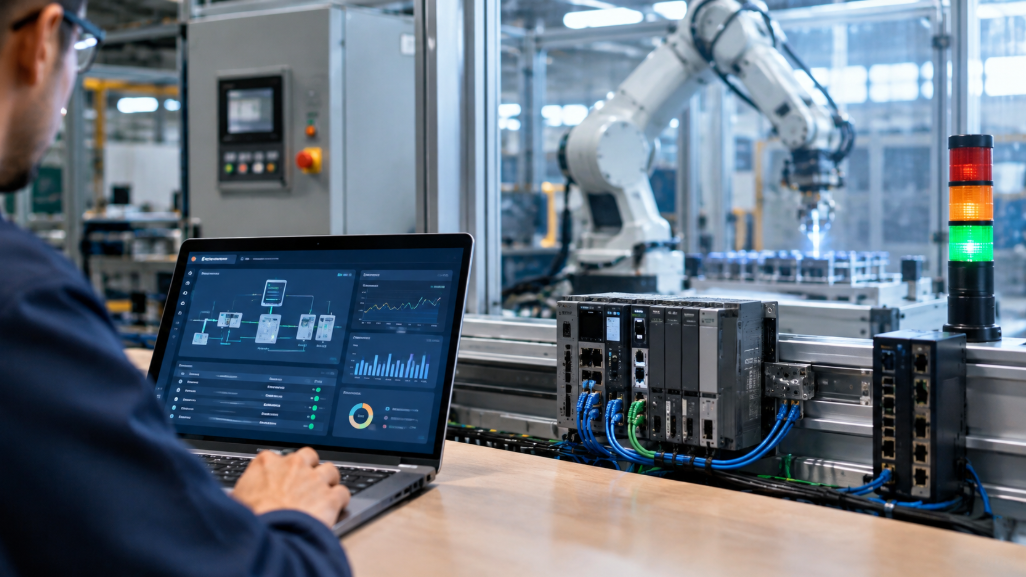
CNC machine monitoring is the practice of automatically capturing operating data from CNC machines, rather than relying on operators to record it manually. CNC machine monitoring software connects to the machine’s controller (Fanuc, Siemens, Haas, Mazak, Okuma, and others) and streams data like spindle load, feed rate, part count, and program status as the machine runs, instead of waiting for an end-of-shift paper log that rarely captures the short stops and slow cycles that add up to real lost capacity.
How CNC Machine Connectivity and Data Collection Work
CNC machine data collection generally happens one of two ways, depending on the age and controller of the machine:
- Direct controller connection: Newer CNC controllers often support open standards like MTConnect, a vendor-neutral protocol that lets monitoring software read machine data without proprietary integration work for every brand on the floor.
- Retrofit sensors: Older machines without a modern digital interface can still be monitored using retrofit sensors that read signals like spindle current, vibration, or simple run/stop states, without any change to the machine’s control system.
Either path feeds into the same pipeline: raw signals are captured, transmitted to a central platform, and converted into the metrics a plant manager actually looks at, availability, cycle time variance, and OEE.
What CNC Machine Monitoring Software Should Track
| Category | What It Tracks | Why It Matters in a CNC Shop |
|---|---|---|
| Machine utilization | Run vs. idle time per machine | Reveals capacity sitting unused between jobs |
| Downtime tracking | Stop start/end time and reason code | Turns downtime into a fixable, categorized problem |
| Spindle monitoring | Spindle load, speed, temperature | Early warning for tool wear or mechanical issues |
| Cycle time analysis | Actual vs. programmed cycle time | Flags performance loss before it shows up as a delay |
| Tool life monitoring | Tool usage count, wear trend | Prevents scrap from a tool run past its safe life |
| Production tracking | Parts completed, program run | Real-time output vs. schedule |
| OEE measurement | Availability × performance × quality | Single score for overall machine health |
Machine Utilization Tracking
Machine utilization answers a different question than OEE: not “how well did the machine run,” but “how much of the available time did it actually run at all.” A CNC machine can post a respectable OEE while it sits idle for hours between jobs waiting on a fixture, a program, or an operator, a gap manual logs almost never capture because nobody is timing the wait.
Downtime Tracking in CNC Environments
CNC downtime rarely comes from one obvious cause. Tool changes, alarm faults, program stops, fixture changes, and material waits all contribute, and without automatic categorization they usually get lumped into a single “machine down” total that tells a supervisor nothing about what to fix first. sfHawk’s machine downtime tracking software captures each stop with a reason code automatically, so root-cause patterns become visible instead of anecdotal.
Spindle Monitoring: Catching Problems Before They Cause Scrap
Spindle load and temperature are some of the earliest signals a CNC machine gives before something goes wrong. A spindle drawing progressively more load on the same program is often signaling tool wear, a fixture problem, or a mechanical issue well before it trips a fault or ruins a part. This spindle load monitoring case study shows this in practice: cycle-level spindle data caught issues that a manual inspection schedule had been missing entirely.
Cycle Time Analysis
Cycle time analysis compares how long a part actually takes against its programmed or historical baseline. A creeping gap, even a few seconds per part, compounds fast across a production run and is usually the first measurable sign of a performance loss, appearing well before it is large enough to notice on the shop floor by eye.
Tool Life Monitoring
Tool life monitoring tracks how many cycles or how much run time a tool has accumulated against its rated life. Running a tool on a fixed calendar or “until it breaks” schedule wastes good tool life in some cases and risks scrap or a broken tool mid-cycle in others; tracking actual usage lets a shop change tools closer to their true wear point instead of guessing.
Production Tracking and OEE Measurement
Production tracking ties everything together into a live count of parts completed against schedule, while OEE measurement rolls availability, performance, and quality into the single number most CNC shops report upward. Calculating OEE by hand at shift end is slow and inconsistent between operators; automated OEE measurement, built directly from the same connectivity data used for utilization and downtime, gives a shop a live number instead of a monthly estimate.
Common Challenges CNC Manufacturers Face Without Monitoring
- Mixed-brand fleets: A shop running Fanuc, Siemens, and Haas controllers side by side often can’t get a unified view without a monitoring layer that normalizes data across brands.
- Under-recorded micro-stops: Short stops of a minute or two happen too often and too fast for operators to log manually, so they simply disappear from the data.
- Reactive tool changes: Without usage tracking, tools get changed too early (wasting tool life) or too late (risking scrap or breakage).
- Delayed visibility: By the time a paper-based downtime report reaches a manager, the shift that caused it is long over and the pattern is easy to miss.
Real-time monitoring addresses each of these directly: a connectivity layer that normalizes data across controller brands, automatic capture of every stop regardless of duration, usage-based tool tracking, and dashboards that surface problems during the shift they happen, not after.
Choosing CNC Machine Monitoring Software
- Controller compatibility: Confirm support for your specific CNC brands and controller versions, including MTConnect where available.
- Retrofit options: Check whether older machines without native connectivity can still be monitored via sensors.
- Root-cause categorization: Downtime and stop reasons should be automatically categorized, not just logged as a total.
- Spindle and tool data: Confirm the platform captures spindle load and tool usage, not just run/stop status.
- Reporting and integration: The software should connect to your existing ERP or scheduling system and produce the OEE and downtime reports your team actually uses.
sfHawk’s CNC machine monitoring solution is built around exactly this set of requirements, from connectivity through spindle-level detail to shop-wide OEE reporting. You can use the RoI calculator to model what closing your specific utilization or downtime gap is worth before committing to a rollout.
Frequently Asked Questions
What is CNC machine monitoring software?
CNC machine monitoring software is a system that connects to CNC machine controllers or sensors to automatically capture operating data, including spindle load, cycle time, tool status, and stop reasons, and turns it into real-time dashboards and reports. It replaces manual, paper-based tracking with continuous, machine-level data.
How does CNC machine data collection actually work?
Data is collected either through a direct connection to the machine’s controller, often using an open standard like MTConnect, or through a retrofit sensor for older machines without a modern digital interface. Both methods feed raw signals into a central platform, which converts them into metrics like utilization, downtime, and OEE.
Does CNC monitoring software work with mixed-brand machine fleets?
Most modern CNC monitoring software is built to support multiple controller brands, including Fanuc, Siemens, Haas, Mazak, and Okuma, often through standards like MTConnect. This is one of the main reasons shops adopt monitoring software in the first place: it gives a single, unified view across machines that would otherwise report data in incompatible, proprietary formats.
Can CNC machine monitoring catch tool wear before it causes scrap?
Yes. By tracking spindle load and tool usage over time, monitoring software can flag a tool trending toward failure before it produces a bad part. This is one of the more direct ways CNC machine monitoring pays for itself, since scrap and rework costs are immediate and easy to quantify.
Do older CNC machines without a digital interface support monitoring?
Yes, in most cases. Retrofit sensors can capture basic signals like spindle current or run/stop status from older machines that lack a modern controller interface, so a mixed fleet of new and legacy equipment can still be monitored on one platform.
Getting Started with CNC Machine Monitoring
CNC machines already generate the data needed to fix most of a shop’s utilization, downtime, and quality problems, the challenge is capturing it before it disappears at shift end. A focused pilot on a handful of machines is usually enough to prove the case before extending monitoring across the full floor.
Get Started Today! Book a call with sfHawk | Email: inquiry@sfhawk.com | Phone: +91 91120 98351 | Website: www.sfhawk.com